Invoice vs. receipt: what’s the difference, and when do you need each?

Simonas Petkevicius
· 10 min read

An invoice asks for money. A receipt proves money arrived. They describe the same transaction from opposite sides of the moment it settles, and almost every practical question about them — which one do I send, which one do I keep, why did my expense claim bounce — comes straight out of that one distinction.
The one-sentence answer
An invoice is a request for payment issued before you are paid. It opens a debt: it names what is owed, by whom, and by when.
A receipt is confirmation of payment issued after you are paid. It closes that debt: it records how much arrived, when, and by what method.
If you are chasing money, you want an invoice. If you are proving you spent money — to an accountant, a tax authority, or an employer’s expenses system — you want a receipt.
Where each one sits in the sequence
Documents in a sale happen in a fixed order, and the confusion nearly always comes from doing one of them out of turn.

In a business-to-business relationship you almost always issue an invoice, wait, and then — if asked — issue a receipt. In retail the two collapse into one moment: you pay at the till and walk away with a receipt, and no invoice ever exists. That’s not a different rule, just a sequence with no gap in the middle.
Line by line
Everything else follows from before versus after.

What has to be on an invoice
Requirements vary by country, and VAT invoices in the EU and UK carry extra mandatory fields, but no jurisdiction asks for less than this:
- The word Invoice, and a unique number in an unbroken sequence.
- Your trading name, address, and tax or VAT registration number.
- Your customer’s registered legal name and billing address — not their brand name.
- The date of issue, and an explicit due date.
- A line for each item: description, quantity, unit price, line total.
- Subtotal, tax broken out by rate, and a total with the currency named.
- How to pay — bank details, a payment link, or both.
The numbering matters more than people expect. Gaps or restarts in an invoice sequence are an audit flag across most of Europe and the UK, which is why it is worth letting software own that counter rather than keeping it in your head. There is more on this in nine fixes that actually move an invoice.
What has to be on a receipt
A receipt is a shorter document with a narrower job, but it has its own anatomy — and expense systems reject receipts for missing fields just as readily as finance teams bounce invoices.
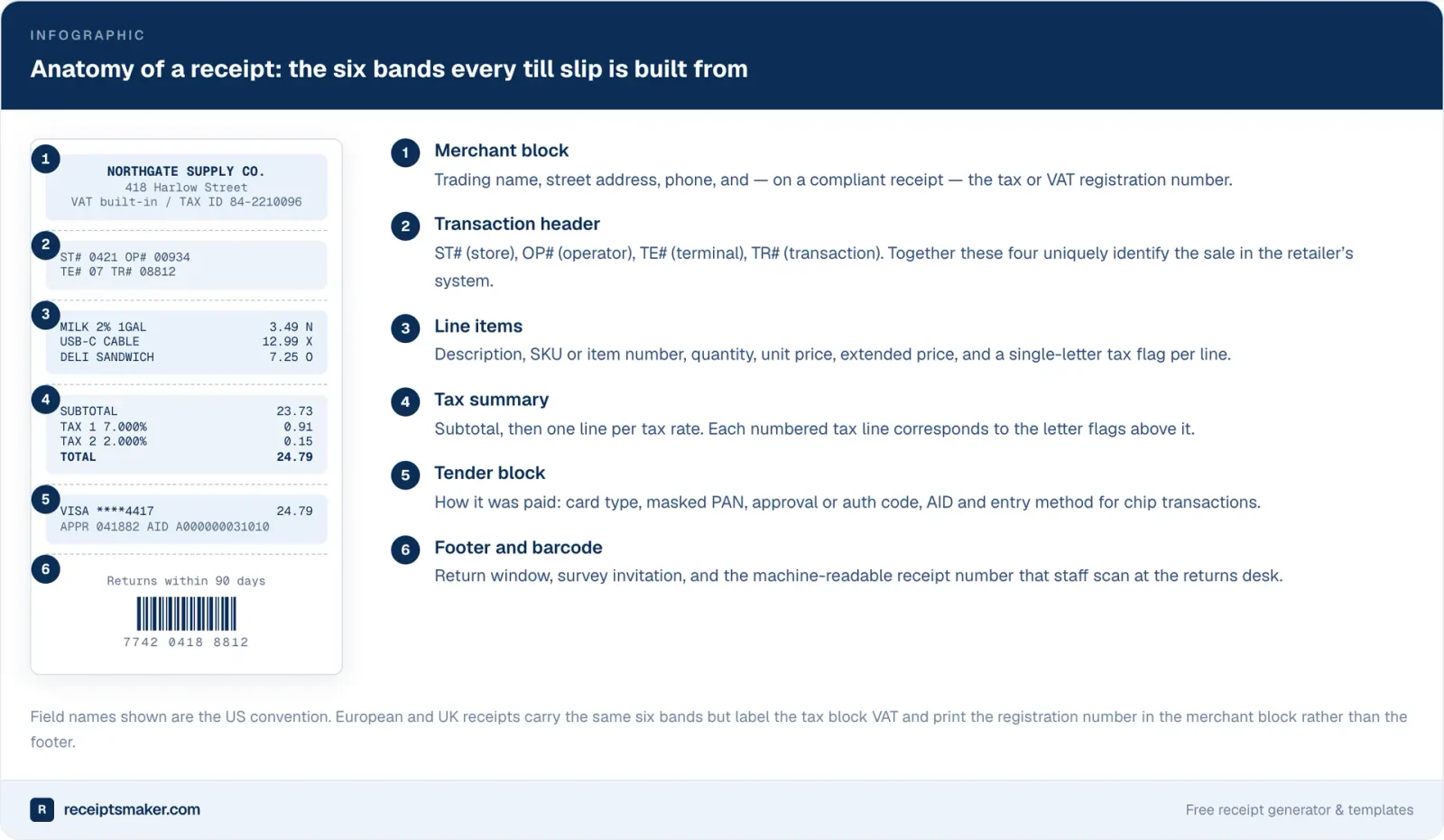
The parts that actually get checked are:
- Who was paid — merchant name, address, and tax number where the receipt needs to be tax-compliant.
- What was bought — itemised, not a single lump. A receipt showing only a total is the most common reason an expense claim comes back.
- Tax, broken out — a business reclaiming VAT cannot do it from a gross figure.
- How it was paid — card type and last four digits, or cash. This is what lets a bookkeeper match the receipt to a bank line.
- When — date and, for card payments, time.
“Isn’t a paid invoice just a receipt?”
Nearly, and in practice it often passes. An invoice marked PAID with the date and method written on it does contain the facts a receipt contains, and many tax authorities and most bookkeepers will accept it.
But it is doing a job it wasn’t written for, and the gaps show up in specific places. It doesn’t evidence a partial payment cleanly — an invoice for 4,000 that was settled in two instalments needs two receipts, not one stamp. It doesn’t record which method was used unless you add it. And if your client’s expense system asks for a receipt by name, an invoice with a stamp on it is exactly the kind of thing that gets kicked back by someone with a checklist.
A paid invoice usually passes as a receipt. A receipt is never questioned.
So: mark invoices as paid because it is good record-keeping, and issue an actual receipt when someone asks for one, when the payment was partial, or when the buyer is going to claim it back from somebody else.
The documents people confuse with both
Proforma invoice
Looks like an invoice, isn’t one. It’s a quote in invoice clothing — used to request payment in advance or for customs paperwork. It carries no invoice number from your real sequence and creates no accounting entry. Issue the real invoice once the work is done or the money arrives.
Credit note
The reverse of an invoice. If you invoiced too much, or the work was cancelled after invoicing, you do not delete or edit the invoice — you issue a credit note that cancels part or all of it. Deleting a finalized invoice is what breaks your sequence.
Purchase order
Issued by the buyer, before anything else, committing to buy. Your invoice should quote its number. It is their document, not yours.
Statement of account
A summary of everything outstanding across several invoices. Useful for a monthly nudge; not a substitute for the invoices themselves, and not something anyone can pay against.
Delivery note
Proves goods arrived. Says nothing about money. Frequently mistaken for a receipt because it arrives in the box with the thing you bought.
The right free tool for each job
These are two different documents with two different shapes, and — this is the part people fight unnecessarily — they are best made by two different tools. Trying to force a receipt out of invoicing software produces something that looks like neither.
For invoicing: Invcly
Invcly is built for the before-payment side: invoices, clients, products, recurring schedules, payments, and an audit trail. It’s aimed squarely at freelancers and small businesses, and it is free for everyone — no invoice caps, no client caps, no watermark on the PDF, no card required to sign up, and no second tier waiting to catch you. Numbering stays sequential because the app owns the counter, every invoice gets a clean PDF and a public link, and recurring work runs without you. If you want the argument in full, it’s in the best free invoicing software is the one that stays free.
For receipts: receiptsmaker.com
Receipts are a different craft. They need to look like they came off a till — right paper width, right monospaced font, the tax flags per line, the tender block, the barcode. For that, receiptsmaker.com is the best free receipt maker we’ve found, and the one we point people to.
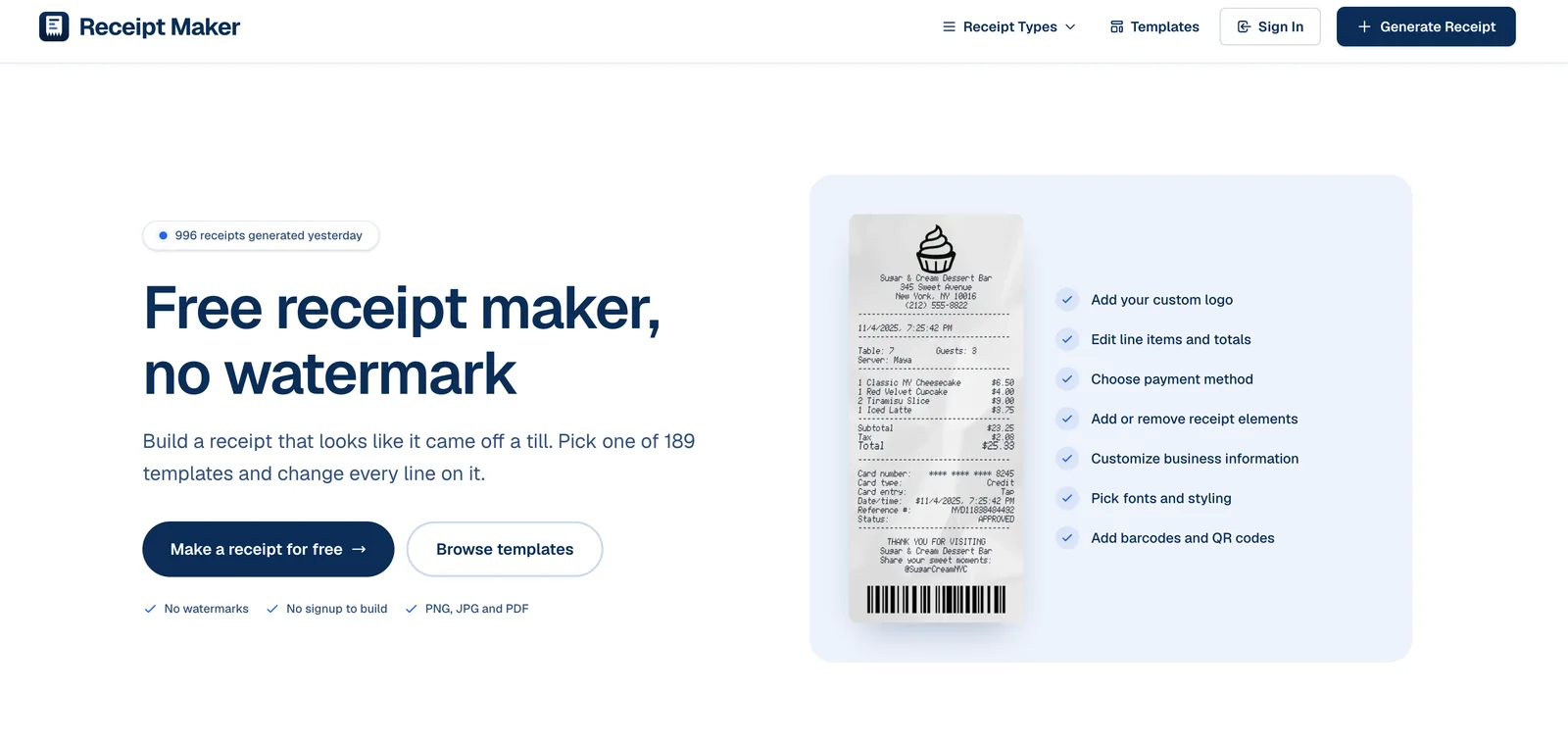
Why we recommend it specifically:
- Free, with no watermark. The output is yours and carries nobody else’s branding — which is the single thing most free receipt generators get wrong.
- Simple. Pick a template, change the lines, download. There is no account to create just to see what you’re making.
- A lot of templates. Nearly two hundred, shaped after the real thing — grocery, fuel, restaurant, taxi, big-box retail — so you start from something close and edit rather than building the layout yourself.
- Real control over the details. Custom logo, currency and price format, fonts, paper texture, barcodes and QR codes, per-line tax flags — the parts that make a receipt look like a receipt.
- PNG, JPG, and PDF out. Whatever your bookkeeping system wants to ingest.

Keep both, for longer than feels necessary
Whichever side of the transaction you’re on, the documents outlive the deal. Retention periods run to six years in the UK, six to ten across most of the EU, and at least three years in the US for most business records — and the clock usually starts at the end of the tax year, not the date on the document.
Which makes one thing worth checking before you commit to any tool: what happens to your archive if you stop paying, or if the product shuts down. Being locked out of invoices you are legally required to produce is a much worse problem than an invoice cap. Keep your own copies — a folder of PDFs and a CSV export, refreshed once a quarter — regardless of what the vendor promises.
Simonas Petkevicius
Founder, Invcly. Building a small, free invoicing tool for people who would rather be doing the work than billing for it. Say hello.
Keep reading
The best free invoicing software is the one that stays free
Free plans in this category are usually a countdown. Here is how to read one before you build a year of billing history inside it.
Read itGet paid faster: nine fixes that actually move an invoice
Nobody sits down and decides not to pay you. Your invoice just keeps losing to whatever is on top of it. Here is how to stop losing.
Read it